Importing a Project
A complete Stellar Project can be stored and shared as a Zip archive. Once you have saved somewhere on your device, you can import the Project into Stellar. The Zip file can contain all the media, audio elements and text files (subtitles, captions, transcripts etc.)].
note
- This section applies to Local Projects only.
- Local Projects are only suitable for freelancers working alone and do not allow for sharing work on for automated cloud backups.
- See Tasks v Local Projects for more information ### Include a link to a new section on local projects versus tasks.
Files → Import → Local Project
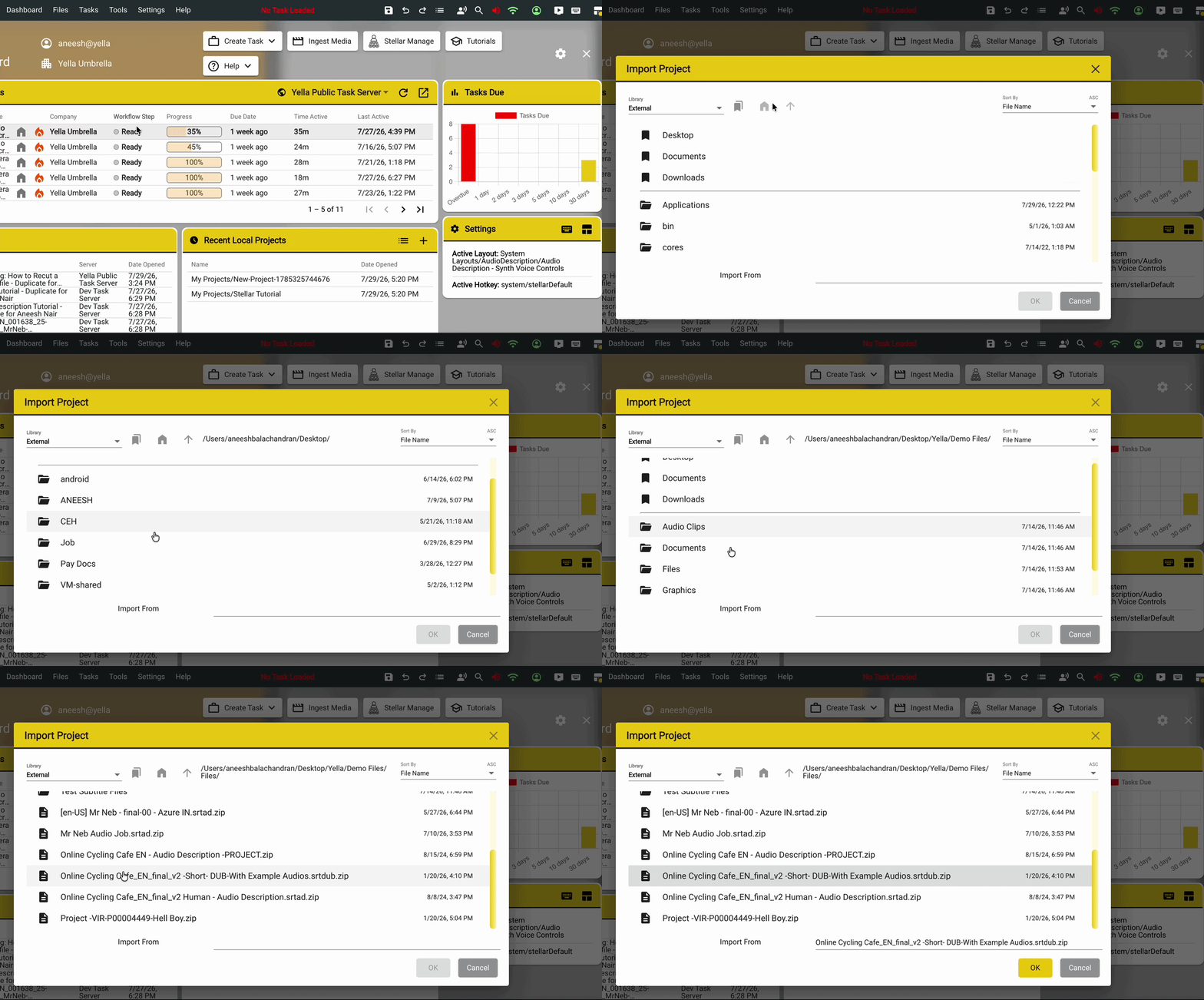
This will open the Import Project window.
Navigate to your Project’s Zip file path, select it and then press OK.
Press Import to import the selected project into Stellar.
Press Open Imported Project to Open the project in Stellar.
If everything went well, the project that you have opened should appear in Stellar.